What a redirect plan is and why it matters in a site move
By the Inovaara Studio team5 min read
On this page
A redirect plan is a list of every address on your current site, each matched to its new address, which becomes a set of permanent (301) redirects on launch day. It matters because search engines rank individual URLs. The plan is how your links, bookmarks and rankings follow you to the new site.
What is a redirect plan?
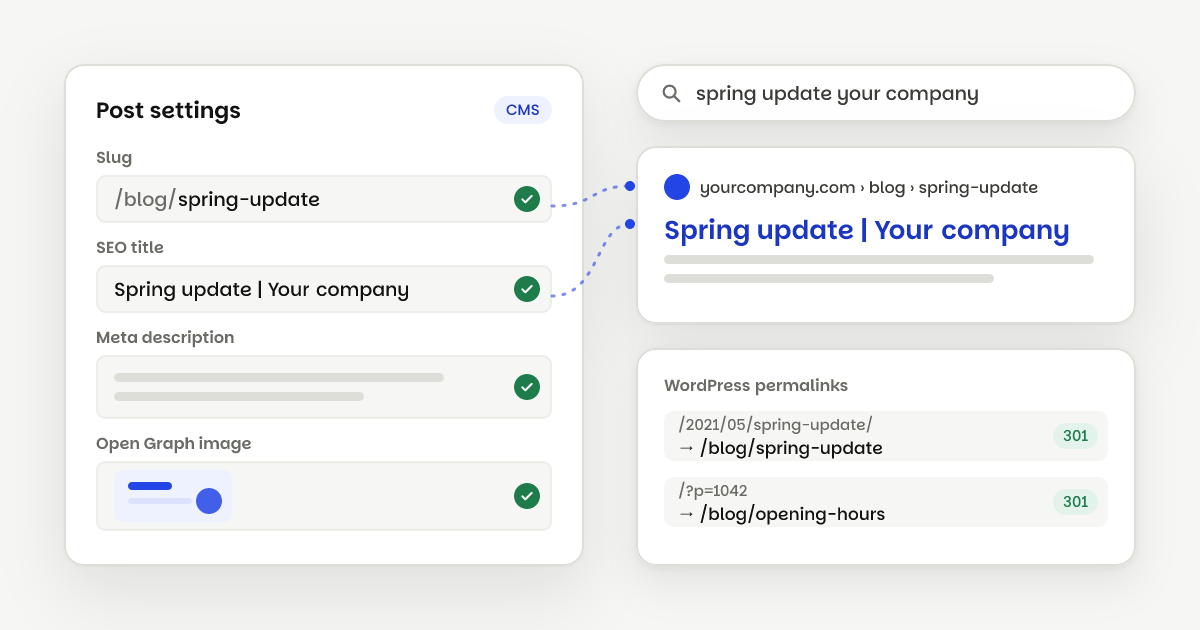
Think of it as a forwarding address for every page. When a site moves, its addresses usually change. An old WordPress post at /2021/05/spring-update/ might become /blog/spring-update on the new site. Without a plan, anyone who follows the old link lands on an error page.
A redirect plan is usually a simple sheet with three columns:
- Old URL: the address as it exists today.
- New URL: where that content lives after the move.
- Status: the type of redirect, almost always 301, and whether it has been tested.
Here's what a few rows look like:
- /about-us//about301
- /services/web-design//services/websites301
- /blog/2021/05/spring-update//blog/spring-update301
- /category/news//blog301
Once it's agreed, the sheet is loaded into the new site's redirect settings, so each old address answers with a 301 that points to the new one.
Why does it matter when you move your site?
Search engines don't rank your website as one thing. They rank individual URLs, and each page has built up its own history: links from other sites, mentions in old emails, bookmarks, and its spot in search results.
When the address changes, that history stays with the old URL unless you tell search engines where the page went. A permanent redirect does exactly that. Google treats a permanent redirect as a strong sign that the new URL is the one to show in results.
People matter here too. They share links, print them on flyers and save them, and a redirect plan keeps those links working for years after the move.
Even with a good plan, Google says to expect some temporary ranking movement while it processes a move. For a medium-sized site, that can take a few weeks or more. A plan keeps that dip small and short.
What goes into a redirect plan?
Building one is careful, mostly unglamorous work. Here's the order we follow.
- Find every URL. Crawl the live site, then add URLs from your sitemaps, analytics, Google Search Console's links report and your CMS. Google's move guide lists those last four as places to find old URLs. Crawls miss pages that nothing links to, and analytics catch old pages that still get visits.
- Decide where each one goes. Match every old page to its closest new page. Two old pages can point to one new page if their content was merged.
- Use permanent redirects. A 301 (or 308) says the move is for good. A 302 says it's temporary, so search engines keep showing the old URL.
- Point straight at the final page. If an old page already redirects somewhere, update it to go directly to the new address instead of passing through a chain.
- Update your own links. Menus, buttons and links inside posts should use the new URLs, so visitors don't need the redirect at all.
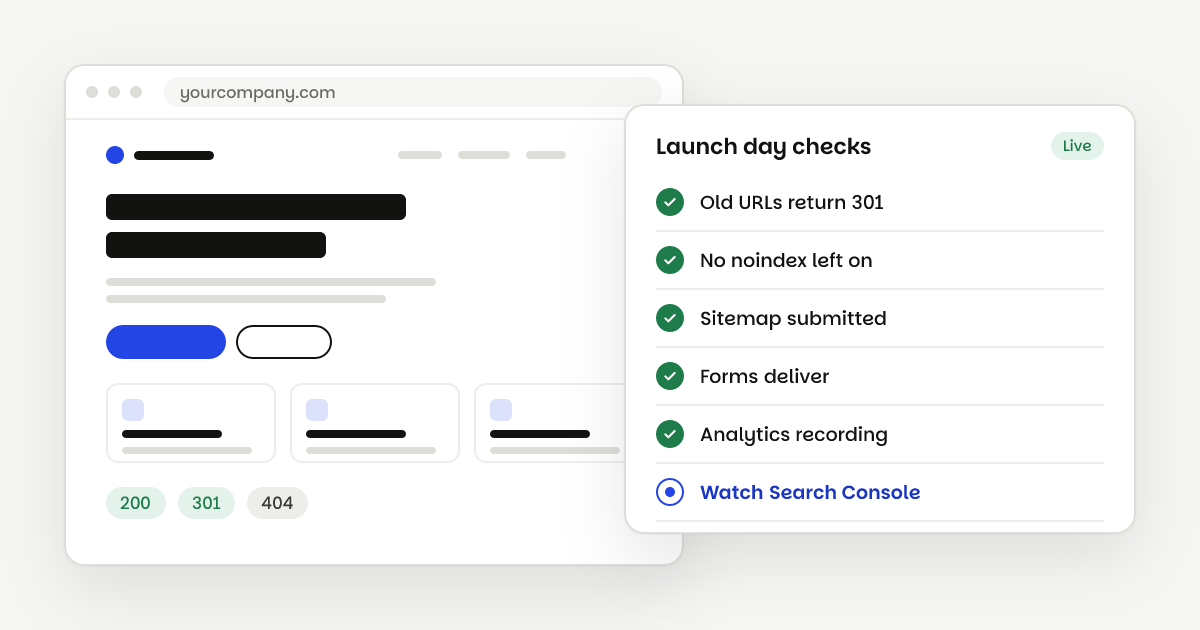
- Test before and after launch. Check a sample of old URLs on staging if you can, then check every one on the live site.
Which pages should not get a redirect?
Some old pages have no new home: an expired offer, a page you're retiring. Google's advice is to let those return a 404 or 410 instead of forcing them somewhere unrelated. We agree: a clear "gone" tells visitors and search engines the truth.
How do you set up redirects in Webflow?
Webflow has 301 redirects built in on paid plans. You add them in Site settings → Publishing → 301 redirects, as an old path and a new path. You can also import and export redirects as a CSV file, which makes it easy to load a reviewed sheet in one go.
Four details shape a Webflow redirect plan:
- Wildcards keep the list short. A rule like
/blogs/(.*)can send every post in an old folder to/articles/%1. Webflow suggests using wildcards where possible and keeping to about 1,000 redirects at most. - Order counts. Webflow runs redirects in the order they were added, oldest first. Add specific rules before broad wildcard rules.
- The old page must be gone. A redirect won't fire if a live Webflow page still sits at the old path. The page has to be removed, saved as a draft, or given a new slug first.
- Each language path is separate. Redirects apply from the root domain, so
/old-urland/es/old-urleach need their own rule.
How long should redirects stay in place?
Google's guidance is to keep redirects as long as possible, and generally at least one year. In practice we leave them in place for good. They cost almost nothing to keep, and old links can surface years later.
What are the most common redirect mistakes?
Most problems after a move come from a handful of shortcuts:
- Sending everything to the home page. It feels safe, but Google warns it can confuse visitors and may be treated as a "soft 404". Map each page to its real match.
- Forgetting odd URL formats. WordPress sites using plain permalinks have addresses like
/?p=1042. Old sites may have.htmlendings or tracking parameters. Each needs a rule. - Missing trailing-slash versions.
/about-us/and/about-uscan both be out there. Test both. - Leaving chains in place. Old redirects from a previous redesign may now point at pages that redirect again. Google can follow several hops, but recommends keeping chains short and pointing straight to the final page.
- Only checking a few pages. Every row in the plan gets tested, not a sample.
What does a redirect plan look like when we move your site?
The redirect plan is step two of every website migration we do, before any design work starts. You get the full sheet to review: every URL we found, where it goes, and anything we suggest retiring. After launch, we test every redirect on the live domain, submit the new sitemap and watch for broken links during the bug-fix window.
If you're planning a move and want to know how many URLs you're dealing with, send us your site on a free call. We'll take a look and tell you what a move involves.
Questions
No. If the address is exactly the same on the new site, visitors and search engines land where they always did. Redirects are only for URLs that change or go away.
A little, for the visitor who follows one. That's why Google suggests updating your own links to the new URLs, so most people never hit a redirect at all.
Add a 301 for it as soon as you spot it. Search Console's indexing and crawl reports, and your analytics, often show old addresses that still get visits or return errors.
Yes. If you're changing domains, the old domain redirects to the new one. In Webflow, you connect both domains to the site and set the new one as the default.